Email normalization pitfalls: dots, plus tags, and case rules
Email normalization pitfalls can cause accidental account collisions. Learn what is safe to normalize (and what is not) for dots, plus tags, and case.
Contents
- Why email normalization can break user accounts
- What normalization is (and what it is not)
- Safe cleanups that rarely cause problems
- Dots in the local part: when they matter
- Plus tags: useful for users, risky for identity
- Case sensitivity: standards vs real-world behavior
- Provider-specific rules can surprise you
- A safer step-by-step approach
- Common mistakes that cause collisions
- Quick checklist before you normalize
- Next steps: reduce duplicates without guessing
- FAQ
Why email normalization can break user accounts
"Normalizing an email" means taking what a user typed and rewriting it into a more consistent form before you store it or compare it. That can be as simple as trimming spaces, or as aggressive as removing dots, stripping plus tags, or applying provider-specific rules.
The risk is simple: a small rewrite can turn two different addresses into the same stored value. When that happens, your system can merge identities by accident. Password resets can go to the wrong inbox, one user can end up inside another user’s account, and your audit trail becomes hard to trust.
A common collision looks like this: User A signs up with [email protected] and User B signs up with [email protected]. If your system removes dots in the local part (before the @), both become the same string, even though many mail systems treat them as different mailboxes.
These collisions are hard to spot because they rarely fail loudly:
- Both signups look valid.
- The second signup may attach to an existing account.
- The problem appears weeks later, when logs are harder to interpret.
- Untangling merged data (billing, orders, permissions) is painful.
The goal isn’t to guess the "real" address. The goal is to avoid obvious junk and typos without changing identity. A safer default is to store the original address as entered, apply only conservative cleanup for comparisons, and handle deliverability checks separately.
What normalization is (and what it is not)
Normalization is about making addresses consistent enough for storage and matching. The trap is treating "consistent" as "same person".
Two different jobs often get mixed together:
- Formatting cleanup: small fixes that don’t change who the address belongs to.
- Identity rules: assumptions that two different strings should map to the same account.
An email address has two parts: the local part (before @) and the domain part (after @). Most surprises come from the local part, because providers and company mail servers can interpret it differently.
Teams often try things like trimming spaces, lowercasing, removing dots, and stripping +tags. The key problem is that there is no universal "safe canonical form" across all providers. Some ignore dots, some don’t. Some support plus addressing, some treat + as a normal character. Even case sensitivity is defined one way in standards and handled another way in practice.
A safer pattern is: keep the raw value, create a separate comparison key with only the transformations you can defend, and never let that key silently merge accounts.
Safe cleanups that rarely cause problems
Some cleanup steps solve real input issues without changing the meaning of the address.
The safest wins are:
- Trim leading/trailing whitespace (including newlines from copy-paste).
- Remove invisible characters that sometimes sneak in from spreadsheets or messaging apps.
- Lowercase only the domain part (domains are effectively case-insensitive in practice).
- Keep the original input stored separately for support and audits.
Keeping both versions matters. Use the cleaned version for lookups and validation, but keep the exact user-entered string so support can answer, "What did the user type?" and "What did we change?"
Dots in the local part: when they matter
A common myth is that dots in email addresses never matter. That idea mostly comes from Gmail.
Gmail treats dots in the local part as optional, so [email protected] and [email protected] reach the same mailbox. Some Google Workspace setups behave similarly, but you can’t safely assume that for every domain.
Outside Gmail, dots can absolutely be meaningful. Many mail systems treat the local part as exact text, so [email protected] and [email protected] can be different people.
Recommendation: don’t remove dots unless you are truly certain the domain follows Gmail-style dot rules and you’re comfortable with the identity risk. If you’re trying to reduce duplicates, treat dot-stripped matches as a "possible match" that still needs user proof.
Plus tags: useful for users, risky for identity
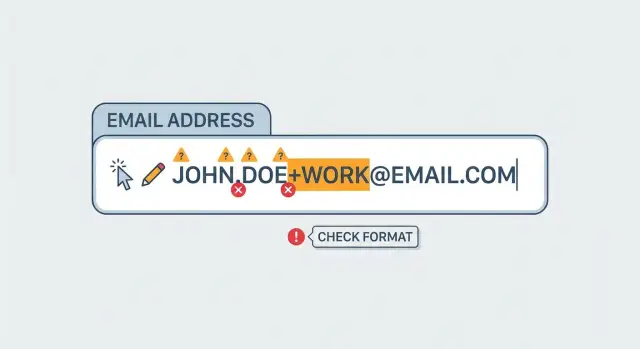
Plus tags (plus addressing) look like [email protected]. People use them to track signups, route receipts, and filter mail.
The trap is assuming alex+news@... is always the same as alex@.... Some providers ignore the tag and deliver to the base mailbox. Others treat the full address as distinct, or businesses may route mail differently based on the tag.
If you strip plus tags during cleanup, you can create collisions that users didn’t intend. For example, someone might deliberately create separate accounts as [email protected] and [email protected]. If you store both as [email protected], you can merge profiles and send resets or notifications to the wrong place.
A safer rule of thumb:
- Send email to exactly what the user typed.
- Don’t remove
+...unless you have a narrow, well-tested reason for a specific domain. - If you use tag-stripping for dedupe, never auto-merge accounts based on it.
Case sensitivity: standards vs real-world behavior
Email standards allow the local part to be case-sensitive, meaning [email protected] and [email protected] could be different mailboxes.
In real life, many large providers treat the local part as case-insensitive, which is why mixed case usually still works. But you can’t assume that behavior everywhere.
A conservative approach:
- Lowercase the domain part.
- Preserve the local part as entered.
- If you offer case-insensitive login search, treat it as a convenience, not proof that two accounts are the same.
- Never merge accounts solely because two strings match after lowercasing.
Provider-specific rules can surprise you
Many email normalization failures start with: "This provider works like Gmail." That assumption breaks fast.
Even within Google’s ecosystem, behavior isn’t always as clean as people expect. And once you leave gmail.com, the rules can change completely.
Aliases, forwarding, and subdomains add more confusion. One person might sign up with an alias that forwards to their inbox. Another person might genuinely own the similar-looking address you assumed was equivalent. Treating [email protected] as the same as [email protected] is guesswork.
If you think you need provider-specific transforms, collect evidence first: look at your real collision cases, scope the rule tightly to specific domains, and keep the raw address available for support and audits.
A safer step-by-step approach
If you normalize too aggressively, you can merge two real people into one account. The safer approach is to separate storage, display, validation, and identity.
A practical flow:
- Store the raw email exactly as entered (for audits and support).
- Create a cleaned version for UI and comparisons (trim whitespace, remove invisible characters, lowercase the domain).
- Validate deliverability separately (syntax, domain existence, MX records), without rewriting the address into a different identity.
- If you choose to build a dedupe key (dot/plus stripping, provider rules), treat matches as "possible" and require proof before linking accounts.
- Build a collision workflow: if a signup maps to an existing key, stop and verify ownership instead of attaching automatically.
Example: someone signs up as [email protected], then later tries [email protected]. On one provider that might be the same inbox, on another it might be two different mailboxes. Treat it as a prompt to verify, not a reason to merge.
Common mistakes that cause collisions
Most collisions happen when a rule that’s true for one provider gets applied to every address.
Frequent mistakes:
- Stripping dots and plus tags globally.
- Lowercasing the entire address and using it as the unique account key.
- Auto-merging accounts when a normalized version matches.
When two signups map to the same canonical string, you can deny valid signups, send password resets to the wrong person, and mix billing or permissions across users.
Quick checklist before you normalize
Before you ship any normalization rule, answer two questions: what are you optimizing for (tidiness, fewer duplicates, or safety), and what happens when you’re wrong?
A safe baseline:
- Store the raw email and a separate cleaned value.
- Lowercase only the domain.
- Avoid dot and plus stripping unless it’s narrowly scoped and you have a collision plan.
- Treat any "normalized match" as a signal, not identity, unless the user proves control.
Next steps: reduce duplicates without guessing
If duplicates are hurting you, treat email as contact info, not as a perfect identity key. Keep the original address for sending and support, and maintain a separate "normalized for search" value you can change later without losing history.
To cut down junk signups without risky rewriting, validate addresses during signup and verify ownership before you attach an address to an account. If you want an API for that layer, Verimail (verimail.co) focuses on email validation checks like syntax, domain and MX verification, and disposable email detection, without requiring you to rewrite addresses in ways that can merge users.
Measure what changes: bounce rates, confirmed-email rates, and how often lookalike emails turn out to be different people. Let those numbers drive your next rule, not provider folklore.
FAQ
What does “email normalization” actually mean?
Email normalization is rewriting what a user typed into a more consistent form for storage or matching, like trimming spaces or lowercasing a part of the address. It becomes risky when normalization changes identity, such as removing dots or stripping +tags, because that can make two different addresses look the same in your database.
What cleanup steps are usually safe?
Trimming leading and trailing whitespace and removing invisible characters from copy-paste are generally safe because they fix input artifacts, not identity. Lowercasing the domain part is also usually safe because domains are effectively treated as case-insensitive in practice.
Should I lowercase email addresses when I store them?
Lowercasing the domain part is a good default. Lowercasing the local part (before @) is risky because standards allow it to be case-sensitive, and some systems can treat [email protected] differently from [email protected], even if many providers don’t.
Is it safe to remove dots from the local part?
Don’t remove dots by default. Gmail-style dot behavior is not universal, and many business or self-hosted mail systems treat dots as meaningful, so [email protected] and [email protected] can be different people.
Is it safe to strip “+tags” (plus addressing)?
It’s not safe as a global rule. Many providers deliver [email protected] to the same mailbox as [email protected], but others treat the full local part as distinct, and organizations may route mail differently based on the tag.
How do I avoid account collisions if I do any normalization?
Treat normalized matches as a hint, not proof. Keep accounts separate unless the user proves they control the address (for example, by verifying email ownership) and build a deliberate workflow for resolving lookalike addresses instead of silently attaching them to an existing user.
Should I store the raw email or the normalized email?
Store the raw email exactly as entered for audits, support, and sending mail. Store a separate cleaned value for search and comparisons so you can adjust rules later without losing history or accidentally rewriting what the user actually provided.
Can I use a “normalized email” as the unique account key?
Use it only as a convenience for finding an account, not as a unique identifier. If you allow case-insensitive search or relaxed matching, make sure the final step still verifies ownership before letting someone reset a password or access an account.
What about aliases, forwarding, and subdomains—can I normalize those?
Assume they can be different unless you have strong, domain-specific evidence and a safe fallback. Treating [email protected] as the same as [email protected] (or assuming aliases always map back to a single inbox) is guesswork that can merge unrelated users.
How can I reduce junk signups without risky normalization?
Validate deliverability separately from identity rules. Use checks like syntax validation, domain and MX verification, and disposable email detection without rewriting the address into a different string; tools like Verimail focus on these validation steps while letting you keep the user’s original address intact.