Email validation to reduce support tickets from bad emails
Cut password reset requests, missed notifications, and onboarding drop-offs with email validation to reduce support tickets and keep records clean.
Contents
- Why bad emails create so much support work
- Where bad email addresses come from
- How bad emails turn into common ticket types
- Decide when to validate (signup, updates, imports)
- What email validation should check (in plain language)
- How to add email validation at signup (step by step)
- Common mistakes that keep the tickets coming
- How to measure the support load you’re actually reducing
- A realistic example: the typo that becomes a long ticket
- Quick checklist to prevent email-driven tickets
- Next steps: roll it out safely and keep improving
Why bad emails create so much support work
A surprising share of support tickets start with the same root cause: the email address on the account is wrong, unreachable, or temporary. To the user, it looks like your product failed. For support, it becomes a slow thread that’s hard to close.
The symptoms are predictable. Someone doesn’t receive a verification email, so onboarding stops at step one. Another person can’t log in because the password reset message never arrives. Billing notices or security alerts go missing, and the customer contacts support in a rush. Even when users can access the app, missed notifications can make it feel like features aren’t working.
Bad emails also create repeat contacts. A user opens a ticket about a missing reset email, follows up after trying a different inbox, asks to change their address, then needs re-verification. Each step can involve identity checks, manual account edits, and waiting for another email that still might not land. One typo can turn into a long back-and-forth.
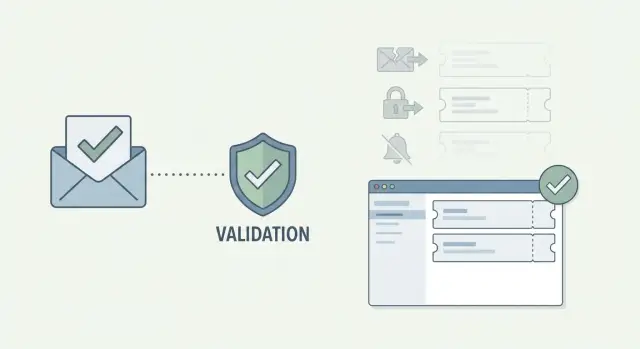
The core idea is simple: stop bad addresses before they enter your database. Catch problems at signup and when an email is updated, and you prevent much of the downstream work: fewer failed resets, fewer stuck signups, and fewer “I never got the email” threads.
Validation isn’t magic, though. It can tell you whether an address is formatted correctly, whether the domain exists, and whether it looks disposable or risky. It can’t guarantee every message will be delivered. You still need solid email sending practices like proper sender setup, clear templates, and sensible retries.
A concrete example: a user types “gmial.com” during signup. Without validation, they create an account they can’t verify, then support has to locate the account, confirm ownership, update the email, and resend messages. With validation, that typo is caught in seconds, before it becomes a ticket.
Where bad email addresses come from
Most bad email addresses aren’t malicious. They’re small mistakes made at the worst time: someone is rushing through signup on a phone, switching apps, or trying to grab a discount code before it expires.
A big chunk is simple typos and formatting issues. People drop the @ symbol, add a trailing space, or mistype a common domain (like gmial.com). Mobile keyboards and autocorrect make this worse, especially when users paste an address from notes and invisible characters sneak in.
Another common source is domains that can’t receive mail. Sometimes the domain doesn’t exist. Other times it exists but has no mail setup (no MX records), so welcome emails, verification emails, and password resets never arrive. The user experiences this as your product being broken.
Then there are throwaway inboxes. Disposable email detection matters because these addresses are often used for quick signups, trials, and some kinds of fraud. They might work briefly and then disappear, leaving you with accounts you can’t reach later.
Finally, some addresses are valid but still create confusion, especially role or shared inboxes like support@ or sales@. Multiple people can access them, so account ownership gets messy and requests like “please change the email” or “I didn’t sign up” become more common.
If your goal is to reduce tickets, the best early wins come from catching:
- Typos, missing parts, and hidden spaces
- Domains that don’t exist or can’t receive email
- Known disposable providers
- Role or shared inbox patterns (when they’re risky for your product)
How bad emails turn into common ticket types
Bad email addresses rarely fail in a clean, obvious way. They fail quietly, and your support team becomes the human backup system. It helps to recognize the patterns that show up again and again.
Password resets are usually the loudest. A user forgets their password, requests a reset, and nothing arrives because the address is misspelled, blocked, or disposable. They try again, then open a ticket frustrated because they can’t self-serve.
Account verification is similar, but it hits earlier. If the confirmation email can’t be delivered, the user gets stuck at the verify step. From their perspective, your product is broken. From yours, the email was never reachable.
Notifications create slower, messier tickets. Users miss alerts, status updates, or security warnings, then blame the product for not sending them. Support has to dig through logs and explain what happened, often without being able to prove whether the address was valid at signup.
Billing emails turn small mistakes into urgent requests. If receipts and invoices go to the wrong address (or bounce), customers worry about compliance, reimbursement, or disputes. These tickets tend to jump the queue.
Invites and team onboarding are another trap. A typo in an invite address can block a teammate from joining, or send access to the wrong person.
A lot of “different” tickets trace back to the same root cause:
- Reset email never arrives after multiple attempts
- Stuck on the confirm email screen
- “I never got the notification” complaints
- Missing receipts, invoices, or payment confirmations
- Invites bouncing or going to the wrong inbox
Decide when to validate (signup, updates, imports)
Bad emails are easiest to deal with before they land in your database. Validate at the moments when an email address is created, changed, or about to be used for something important. That’s how you reduce support load without adding friction everywhere.
The high-impact moments
Start where one wrong character causes long cleanup later:
- Signup forms: Stop typos, invalid domains, and disposable addresses before an account is created.
- Email change screens: A good customer can become unreachable in one update. Validate here so you don’t break receipts, alerts, or renewal notices.
- Before critical sends: Right before password resets, invoice emails, or security alerts, validate to catch bad records that slipped in through older flows.
- Bulk imports: Clean lists before they hit your CRM or marketing tools to avoid bounce spikes and deliverability damage.
What to do first (and what can wait)
If you can only start in one place, start at signup. It prevents the biggest pileup of future issues.
Next, validate email changes. These tickets are painful because the user often can’t confirm anything once they lose access.
Finally, add validation around high-stakes emails and imports. A practical pattern is to validate when the email is saved, and again when it’s used for a sensitive action.
What email validation should check (in plain language)
The point of validation isn’t just checking for an @ symbol. It’s answering one question: can this address realistically receive mail, and is it safe to accept?
The checks that matter most
The essentials, without jargon:
- Format check (syntax): Catches obvious mistakes like missing @, extra spaces, or “.con” instead of “.com”.
- Domain exists: Confirms the part after @ is a real domain. If someone types “gmail.cmo”, you want to stop it immediately.
- Mailbox-ready domain (MX records): Verifies the domain is set up to receive email. Some domains exist but can’t accept mail.
- Disposable email detection: Flags known throwaway providers often used for quick signups and some kinds of signup fraud prevention.
- Blocklist and risk signals: Identifies addresses and domains associated with spam traps or suspicious patterns. This protects email deliverability so your real users actually get your messages.
Speed is part of the experience
Validation needs to be fast enough that users don’t feel it. Slow checks lead to refreshes, re-submits, and duplicate signups, which creates more cleanup for support.
How to add email validation at signup (step by step)
Signup is the best place to start. The goal is straightforward: catch obvious problems before you create the account and send important emails that never arrive.
A practical signup flow
Decide where checks run. A quick front-end check improves the experience, but the back end has to be the source of truth (anyone can bypass the browser).
A simple, effective flow looks like this:
- Give instant feedback in the form for basic formatting (missing @, trailing spaces).
- On the server, validate again before creating the user record.
- Check the domain exists and can receive email (MX records).
- Apply your policy for disposable addresses: block them, warn and allow, or allow with limits (for example, require verification before key features).
When you show an error, keep it plain and specific. “Email looks invalid” is frustrating. “That domain can’t receive email. Check the spelling after the @” gets a faster fix. For likely typos, a gentle prompt like “Double-check if you meant gmail.com” can prevent a future password reset failure.
Make the result visible to support
Validation helps after the fact, too. If a user says they never got onboarding, support should be able to see what happened at signup.
Log the outcome and the reason in a way support can search. Even a short code or label helps, such as: syntax failed, domain missing, MX missing, disposable flagged, risky.
Also re-check whenever the user updates their email, using the same rules as signup.
Common mistakes that keep the tickets coming
Bad emails rarely create one isolated problem. They create a chain of small failures that end up in your support queue. Many teams validate something, but a few mistakes make it ineffective (or annoying for real users).
One pitfall is being too strict without explaining why. If you block a user and only say “invalid email,” they’ll try again, open a ticket, or abandon signup. If you block something, say what to fix: “That domain can’t receive email” or “Check for typos like gmal.com.”
Another mistake is stopping at syntax. A perfect-looking address can still be undeliverable if the domain doesn’t exist or can’t accept mail. Domain checks and MX lookups catch issues a simple “has an @” test will miss.
Timing matters, too. If you validate only after the account is created, you’ve already stored bad data. Now password resets, onboarding steps, and alerts are going to the wrong place, and support has to clean it up later.
A few patterns that keep ticket volume high:
- Treating disposable detection as a perfect verdict instead of a risk signal you handle by use case
- Rejecting real users with aggressive rules, especially for new or uncommon domains
- Using vague errors that don’t tell users what to change
- Validating too late, after the bad email is already saved
- Leaving support blind, so they can’t tell what failed and why
If you want validation to reduce tickets, aim for “catch the obvious, explain the fix, and give support context,” not “block everything that looks suspicious.”
How to measure the support load you’re actually reducing
To prove your validation work is paying off, start with a simple baseline. Pick a 2 to 4 week window before you change anything, then compare it with the same length of time after rollout.
Track the tickets that usually hide bad emails
Email quality problems get reported in different ways, so measure a few counts that are easy to pull weekly:
- Password reset failures and tickets that mention not receiving the email
- Verification email resends per day (or per 100 signups)
- Complaints like “your emails never arrive” tied to notifications and invoices
- New-user onboarding completion rate (for example: signup to first key action within 24 hours)
- Email bounce rate from your email provider (hard bounces matter most)
After validation goes live, you want to see password reset failures and resend volume drop, while onboarding completion rises.
Tag by root cause, not by channel
Add a required field in your help desk for email-related issues, and keep tags simple:
- Typo (gmial.com, missing character, wrong TLD)
- Disposable or temporary inbox
- Unreachable domain (no valid mail server)
- Mailbox not found (hard bounce)
- Unknown (needs follow-up)
This turns vague complaints into patterns you can act on. If “typo” stays high, improve the signup UI (confirm email field, show the address back). If “disposable” stays high, tighten your policy.
If you use a validator, log the validation outcome (pass, risky, blocked) alongside the ticket tag. Over time, you can answer the real question: which failures used to become tickets, and which ones you now stop at signup.
A realistic example: the typo that becomes a long ticket
A new customer signs up and types [email protected] instead of [email protected]. The form accepts it, the account is created, and your system sends a welcome email and verification code. Nothing arrives, because the address doesn’t work the way the user thinks it does.
From the customer’s view, your product feels broken. They click “Resend verification” a few times. Still nothing. Then they try “Forgot password” just to see if any email comes through. When that fails too, they open a support ticket.
What follows is the familiar thread:
- Support asks for the email used, plus screenshots of the error and inbox.
- Support resends verification and reset emails and waits.
- The user checks spam, tries another device, and replies hours later.
- Support spots the domain typo, but can’t change it without manual steps.
- Someone updates the account email, re-triggers verification, and confirms access.
Even when it’s solved, you’ve spent time on messages, manual edits, and follow-ups. Meanwhile onboarding is delayed and the first impression is frustration.
With validation, the same story ends at the form. When the user enters [email protected], the signup flow flags the address as likely invalid and prompts them to fix it before they continue. The user corrects the typo in seconds, receives the welcome email, and never needs help.
Quick checklist to prevent email-driven tickets
Most email-related tickets come from a few preventable gaps: you validate once, you validate inconsistently, or you validate but support can’t see what happened.
Use this checklist when you’re rolling changes to production:
- Validate at signup and any time a user changes their email. Profile edits can quietly reintroduce bad addresses.
- Decide your disposable email policy and keep it consistent across the product (signup, invites, checkout).
- Store the validation outcome (and a simple reason) so support can troubleshoot quickly.
- Write human error messages with a clear retry path. Tell people what to do next and don’t wipe the form.
- Re-check older emails before critical sends. Invoices, security alerts, and onboarding milestones are where bad data hurts most.
A simple sanity check: ask support to pull 10 recent “didn’t get the email” tickets and see whether your logs answer “was the address valid and reachable at the time?” If not, add that visibility first.
Next steps: roll it out safely and keep improving
Start small, prove it helps, then expand. The easiest win is validating at signup, because that’s where most typos and throwaway addresses enter your system.
After signup is stable, extend the same checks to email change screens and bulk imports. Those two paths quietly create messy data that shows up later as missed notifications, billing issues, and password reset failures.
Run a small pilot and measure the right tickets
Pick 1 to 2 ticket types that are clearly tied to email quality and track them for a month before and after your change. Keep scope tight so the results are easy to trust.
Good starter metrics include password reset failures, verification issues, missed billing or invite emails, and “please change my email” requests caused by signup typos.
Handle edge cases without blocking real users
Validation should reduce risk, not create a new support problem by rejecting legitimate signups. Plan for edge cases where you might allow the account but limit exposure.
A practical approach:
- If an email looks risky (disposable or can’t receive mail), allow signup but require verification before key actions.
- Limit trials and freebies until the email is confirmed.
- Offer an easy “fix my email” flow right after signup.
- Log the reason the signup was flagged so support can explain it clearly.
If you want an API-based option, Verimail (verimail.co) is built for this exact workflow: RFC-compliant syntax checking, domain verification, MX record lookup, and real-time matching against disposable providers, all in a single call. It’s often easiest to start in a monitor-only mode (warn and log, don’t block), then tighten rules once you see what’s actually showing up in tickets.
Keep reviewing outcomes monthly. Update rules based on what support still sees, and treat validation as an ongoing quality check, not a one-time project.