Catch-all email validation: how to accept addresses safely
Learn catch-all email validation: what catch-all domains are, why results can be unclear, and how to accept emails safely using risk-based rules.
Contents
- What catch-all means (and why it exists)
- How catch-all skews email validation results
- Why it matters for signups and deliverability
- A simple risk-based approach to accepting catch-all emails
- Step-by-step: how to handle catch-all in your validation flow
- Signals that still help when mailbox checks are unclear
- User experience strategies that reduce risk
- Common mistakes and traps to avoid
- Example scenario: a B2B signup with a catch-all domain
- Quick checklist for catch-all handling
- Next steps: turn catch-all uncertainty into a clear policy
- FAQ
What catch-all means (and why it exists)
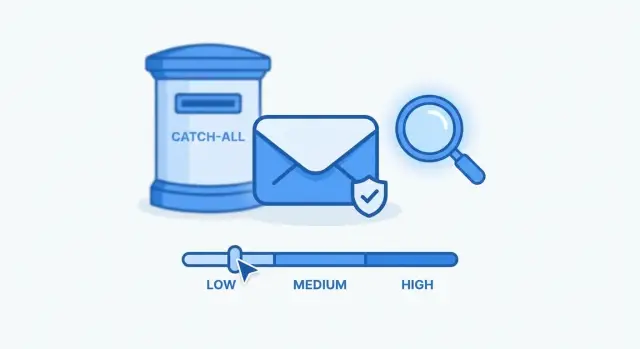
A catch-all domain is set up to accept email for any mailbox name, even if that specific inbox doesn’t exist. If you send a message to [email protected], the mail server still says “OK” and routes it somewhere (often a shared inbox, helpdesk, or admin mailbox).
This is why catch-all validation feels confusing. Many validators try to confirm a mailbox by checking how the receiving server responds. With catch-all, the server often accepts the address either way, so you don’t get a clear “this inbox exists” signal.
Catch-all is common in business email for practical reasons. It helps companies avoid missing messages from typos, role changes, or newly created team addresses. It can also make it easier to handle inbound email for departments like sales or support without pre-creating every mailbox.
Most validators end up with outcomes like these:
- Invalid: The address is broken (bad syntax, domain doesn’t exist, no mail routing). It’s very likely to bounce.
- Deliverable: The domain and mail setup look healthy, and the server gives signals that the mailbox probably exists.
- Unknown: The domain accepts mail broadly (catch-all) or the server blocks mailbox checks. It might work, but you can’t be sure.
The expectation to set internally: validation reduces risk. It doesn’t prove delivery 100% of the time. Mail server behavior changes, outages happen, and some providers intentionally hide mailbox details.
Even with catch-all domains, the basics still matter. Services such as Verimail can run RFC-compliant syntax checks, domain and MX verification, and blocklist matching to separate “clearly bad” from “uncertain but possible.” Once you see “unknown,” the real work is deciding how your product should handle that uncertainty.
How catch-all skews email validation results
Email validation usually works like a funnel. The early steps remove obvious failures. The later steps try to answer the hardest question: does this specific mailbox exist?
A typical flow checks:
- Syntax: is the address formatted correctly?
- Domain: does the domain exist in DNS?
- MX records: is the domain set up to receive email?
- Mailbox-level signals: does the server suggest the mailbox is real?
Catch-all breaks the last step. On an accept-all setup, the server can “accept” both real addresses ([email protected]) and made-up ones ([email protected]). So the result becomes less like a yes/no answer and more like a confidence estimate.
Different tools name this gray area differently. You’ll often see labels like “accept-all,” “unknown,” or “risky.” They’re all pointing to the same core problem: the domain looks fine, but the mailbox can’t be confirmed.
One more wrinkle: mail servers change behavior. A domain can be catch-all this month and strict next month (or the other way around). Some servers also respond differently depending on volume and reputation. Treat catch-all as a moving risk signal, not a permanent verdict.
Why it matters for signups and deliverability
Catch-all domains create a specific kind of uncertainty: the domain looks real, but you can’t be sure the mailbox exists. That uncertainty hurts most when email has to work immediately.
You’ll feel it in flows like signup confirmation, password resets, team invitations, and receipts or order updates. If even a small share of these messages don’t reach users, people get stuck and retry. The product feels unreliable, even when everything else is working.
False accepts are expensive. You pay for bounces, waste campaign volume, and fill your database with contacts who never engage. Over time, this can hurt sender reputation and push more mail into spam. In the worst cases, permissive setups can also hide spam traps, which can trigger stricter filtering.
False rejects hurt too. Blocking real users because their company uses catch-all leads to lost signups and more tickets like “I never got the email” or “Why can’t I register with my work address?”
Different teams feel the impact in different ways:
- Product sees activation drop-offs
- Support handles verification and reset complaints
- Marketing sees lower ROI and dirtier segments
- Deliverability owners deal with bounces and reputation risk
Catch-all works best as a risk decision, not a blanket pass or fail.
A simple risk-based approach to accepting catch-all emails
Catch-all results are rarely a clean yes or no. The practical goal is deciding how much risk you can take for this specific flow.
A simple model is to sort signups into a few buckets and use a consistent action for each:
- Accept: Low-risk context and strong signals.
- Accept with friction: Medium risk. Accept the email, but add a small speed bump (email verification before first use, a short cooldown, or limiting high-risk actions).
- Review: High value accounts or unusual signals (bursts of signups, mismatched country and phone, unfamiliar domains).
- Block: Clear abuse signals (disposable providers, repeated attempts, patterns that match fraud).
The same catch-all domain can land in different buckets depending on what you sell and what abuse looks like.
For B2B, catch-all is common at small companies and IT-managed domains. You can often accept more of it because real customers use it.
For B2C, catch-all is less common and more likely to hide fake mailboxes. If abuse is frequent or margins are tight, default to friction unless other signals look clean.
Progressive trust helps. Start strict for uncertain addresses, then relax once the user proves reachability (clicks a confirmation link, completes onboarding, or successfully receives transactional mail).
Step-by-step: how to handle catch-all in your validation flow
Catch-all makes mailbox checks less certain, but the flow can stay simple. Separate clear accepts and clear rejects from the gray area, then handle the gray area with a consistent policy.
1) Start with syntax and domain health
Run an RFC-compliant syntax check first. It catches typos like missing @, invalid characters, or double dots before you spend effort on deeper checks.
Then verify the domain can receive email. In practice, that means confirming the domain exists and has working MX records (or another valid mail setup). If the domain can’t receive mail, treat it as a hard fail.
2) Filter high-risk addresses early
Before you worry about catch-all, screen for disposable providers and known bad patterns. Disposable domains are a common source of throwaway signups, bounces, and abuse.
This is where an API-based validator can help because it combines checks in one request. Verimail, for example, focuses on syntax, domain verification, MX lookup, and real-time blocklist matching.
3) Detect catch-all and assign risk
If the domain looks valid but mailbox-level signals are inconclusive, you may be seeing catch-all behavior. In plain terms, the system is telling you: “This domain accepts many addresses, so I can’t confirm this exact inbox exists.”
Instead of forcing a yes/no, assign a risk level based on context:
- Low risk: business domain, normal patterns, no abuse signals
- Medium risk: unusual local-part, brand-new domain, light risk signals
- High risk: repeated attempts, suspicious patterns, disposable-like behavior
4) Match the user experience to the risk
Your decision should reflect the cost of being wrong:
- Low risk: accept, then watch engagement (confirmation click, first login)
- Medium risk: accept with friction (verification required, actions limited until confirmed)
- High risk: block, or require stronger proof before creating the account
Example: a B2B signup uses [email protected] on a catch-all domain. You accept it, but require a confirmation click before enabling higher-risk features. That keeps the signup smooth while protecting deliverability and helping reduce email bounce rate.
Signals that still help when mailbox checks are unclear
Catch-all domains make mailbox-level checks messy because the server may accept almost any address. When you can’t get a clear yes or no, look at nearby signals and treat the result as a risk score.
These tend to stay useful even when mailbox confirmation is blocked:
- Disposable or temporary email detection: a strong negative signal.
- Typos and lookalike domains: catch-all can hide mistakes like gmial.com or gmail.con. Flag these before you accept.
- Blocklist and spam-trap risk indicators: if a domain is tied to abuse or repeated bounces, lower trust.
- Role-based mailboxes (info@, sales@, support@): handle by policy. They can be legitimate in B2B but are often shared and lower-engagement.
- Domain age and reputation: use as a small nudge, not a deciding factor.
A practical example: someone signs up with [email protected] and the domain is catch-all. You might accept, but require email verification before enabling high-value actions. If the same signup uses a disposable domain or a typo-like domain, you can block or ask for a different address.
User experience strategies that reduce risk
Catch-all usually means “uncertain,” not “bad.” The safest approach is to keep the form simple while adding a few quiet guardrails.
Avoid harsh copy like “we don’t accept this email.” You’ll lose real users from companies that route everything through catch-all.
A better pattern is a gentle prompt plus a clear next step, such as: “Please double-check for typos. We’ll send a confirmation email to finish setup.”
Guardrails that work well:
- Show a soft “double-check” prompt only when risk is elevated.
- Require email confirmation for higher-risk signups, using a one-click link or code.
- Rate-limit repeated signups from the same source (IP, device, or domain).
- Delay sensitive actions until verification (API keys, exports, promotions, bulk actions).
- If the user never verifies, keep the account limited and send one or two reminders, then stop.
The point is proportional friction. A first-time B2B user on a catch-all domain might only need confirmation. A burst of 20 signups on the same catch-all domain in five minutes should trigger stronger limits.
Common mistakes and traps to avoid
The biggest trap is treating “catch-all” as a clear yes or a clear no. It’s neither. Most of the time, the right answer is “it depends on risk.”
Mistake #1: blocking every catch-all domain. That feels safe, but it rejects real customers, especially in B2B where small companies often route mail through one place.
Mistake #2: treating catch-all as fully verified. Catch-all can hide typos and fake signups because the domain may accept mail for inboxes that don’t really belong to anyone.
Other patterns that lead to bad decisions:
- Making the final call from a single signal (for example, “MX exists, so it must be fine”)
- Skipping basics because the domain is catch-all (syntax, domain health, disposable detection, blocklists)
- Never comparing validation categories to real outcomes (bounces, confirmation clicks, refunds, support tickets)
- Using one rule for every message type (signup vs marketing vs password resets)
- Not updating policy as attackers adapt
Example: you allow a catch-all address through signup without any follow-up, then later send password reset emails. If the user entered a mistyped mailbox at a catch-all domain, the reset might go to an inbox you didn’t intend.
Example scenario: a B2B signup with a catch-all domain
A sales team runs a self-serve form for a free trial. A new lead enters [email protected]. The validator confirms the basics: clean syntax, no common typos, and the domain can receive mail (MX records exist). It’s also not disposable.
Then the domain is flagged as catch-all. The mail server may accept messages for almost any mailbox name, even if the person isn’t real. This is where “valid” often really means “unknown.”
Instead of blocking the signup, you allow account creation but limit risk. The user can explore, but anything that costs money or can be abused stays locked until email confirmation.
A handling flow that fits this case:
- Create the account, but mark it unverified.
- Send a confirmation email before adding the address to marketing.
- Restrict sensitive actions (invites, exports, API keys, high usage) until verified.
- If confirmation fails or bounces, pause the account and ask for an update.
For the first week, watch bounces, spam complaints, and basic engagement. If you see repeated bounces or patterns across similar signups, tighten your rules for catch-all domains.
Quick checklist for catch-all handling
Catch-all adds uncertainty. The goal isn’t perfection. It’s a repeatable policy that reduces bad signups without blocking real people.
- Pick one catch-all policy per form: accept, accept but require confirmation, or block.
- Treat catch-all as a risk flag, not a pass. Combine it with other signals.
- Require verification for medium- and high-risk signups.
- Block what’s clearly bad: disposable providers, invalid domains, broken syntax.
- Track outcomes by category and review monthly.
To make this measurable, store the validation category you saw at signup, not just “allowed/blocked.” If you use a validator such as Verimail, saving the response category alongside the user record makes it easier to audit decisions later.
Start by watching:
- Bounce rate and complaint rate for catch-all signups
- Email confirmation completion rate (how many real users you’re losing)
- Fraud or abuse rate tied to catch-all registrations
If catch-all addresses behave like normal addresses in your data, loosen the gate. If they drive bounces or abuse, tighten it by requiring confirmation or stepping up review for higher-risk cases.
Next steps: turn catch-all uncertainty into a clear policy
Catch-all results only help if they lead to consistent decisions. Measure your baseline for a week: tag signups as catch-all vs non-catch-all and compare outcomes like confirmation rate, first-week engagement, refunds, and bounces. You’ll quickly see whether catch-all domains are mostly normal business email or a source of low-quality traffic.
Then write rules that match each funnel stage. A newsletter signup can tolerate more uncertainty than account creation. Billing should be the strictest.
A simple policy template:
- Signup: allow catch-all, but require email confirmation before key actions.
- Invites: allow only if the inviter is verified and the domain isn’t disposable.
- Billing or high-value actions: require confirmation and stricter risk checks.
- Password resets: always send a confirmation link and don’t trust catch-all alone.
If you add friction, treat it like an experiment. Test one small change at a time and track downstream quality, not just form conversion.
If you want a single API call that covers the basics (syntax, domain verification, MX lookup, and disposable or blocklist signals), Verimail at verimail.co is one option. The key is less about the tool and more about what you do with the “unknown” bucket: define it, measure it, and apply it consistently.
FAQ
What is a catch-all domain in email, in plain terms?
A catch-all domain is configured to accept mail for any mailbox name at that domain, even if the exact inbox doesn’t exist. That means the server may say “accepted” for both real and made-up addresses, which makes mailbox-level validation less certain.
Why do catch-all domains make email validation feel unreliable?
Many validators try to confirm whether a specific mailbox exists by looking at how the receiving server responds during mailbox-level checks. Catch-all domains often respond positively for almost any address, so the result becomes uncertain rather than a clear yes or no.
What should a validator return for a catch-all email: valid or invalid?
Most teams treat it as an “unknown” or “accept-all” risk flag. The domain may be real and able to receive email, but you can’t confidently confirm the exact inbox, so you decide based on risk instead of forcing a pass/fail.
Can email validation ever guarantee 100% deliverability?
No. Validation reduces obvious failures (bad syntax, missing domain, no mail routing) and flags risk, but it can’t guarantee delivery because servers can change behavior, block checks, or accept mail without confirming the inbox.
How should I handle catch-all emails during user signup?
Use a risk-based default: accept the signup, but require email confirmation before enabling high-risk actions. This keeps real users moving while protecting you from typos, fake signups, and unreachable mailboxes hidden by catch-all behavior.
Should I add extra steps for catch-all emails in password reset or invites?
Yes, if the cost of being wrong is high. Password resets, team invites, receipts, and anything security-sensitive should require confirmation because a catch-all domain can route mail unexpectedly if the user typed the address wrong.
What checks still matter even when the domain is catch-all?
Start with RFC-compliant syntax checking, then verify the domain exists and has working MX records. Next, screen for disposable domains and known bad patterns; tools like Verimail combine syntax, domain verification, MX lookup, and blocklist matching to separate clearly bad addresses from uncertain ones.
How do I decide whether a catch-all email is low, medium, or high risk?
A common approach is: low risk (normal patterns, business domain) gets a smooth flow with verification; medium risk gets “accept with friction” like cooldowns or limited actions; high risk (bursts, repeated attempts, suspicious patterns) gets blocked or sent to review.
Is it a bad idea to block every catch-all domain?
Blocking all catch-all domains is a frequent mistake because it rejects real business users. The safer pattern is to accept but verify, and only block when you see clear abuse signals like disposable domains, broken domain setup, or repeated suspicious attempts.
How can I measure whether catch-all emails are hurting my deliverability or signup quality?
Store the validation category you saw at signup (deliverable, invalid, unknown/catch-all) and compare outcomes like confirmation rate, bounce rate, and abuse rate. If catch-all signups behave like normal users, loosen friction; if they drive bounces or fraud, tighten verification and limits.