Reduce fake signups with email validation and smart friction
Learn how to reduce fake signups with email validation plus friction controls like rate limits, device signals, and step-up verification for risky attempts.
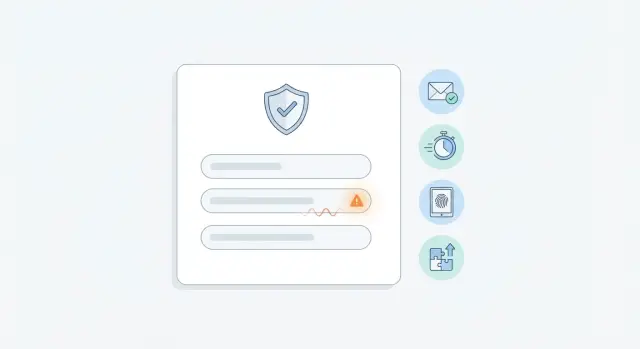
Contents
- What fake signups are and why they slip through
- How attackers game your signup flow
- A simple layered defense model
- Email validation rules that catch the easy wins
- Rate limits and throttles that actually help
- Device and behavior signals to spot repeat abusers
- Step-up verification for high-risk signups
- Step-by-step: how to combine validation and friction
- Common mistakes that increase friction without stopping fraud
- Quick checklist before you ship changes
- Example: stopping a fake trial signup spike without blocking real users
- Next steps: roll out safely and keep tuning
- FAQ
What fake signups are and why they slip through
Fake signups are accounts created with no real intent to become real users. Sometimes they’re bots filling your form at scale. Sometimes they’re people using scripts, click farms, or simple copy-paste routines. Very often, they use throwaway or disposable email addresses so they never have to deal with verification, onboarding, or follow-up.
They slip through because signup systems are built to be fast and welcoming. Attackers take advantage of the same things good users like: short forms, instant access, and generous trials. If you only check that an email “looks valid,” a bot can still submit an address that passes formatting but will never receive your messages, or one from a disposable provider created just for the signup.
Email validation helps, but email alone isn’t enough. A determined attacker can rotate addresses, use real inboxes, or spread attempts across many IPs and devices. The goal is targeted friction: add extra checks only when risk is high, instead of making every real user jump through hoops.
The impact is usually bigger than it first appears:
- Wasted spend (paid ads, free trials, incentive programs)
- Bad metrics (inflated signups, broken conversion rates, noisy cohorts)
- Support load (mysterious accounts, password resets, spam complaints)
- Deliverability damage (bounces, spam traps, lower sender reputation)
A layered approach works best: strong email validation (catch disposable domains and invalid inboxes), light rate limits, device and behavior signals, and step-up verification only when something looks off.
How attackers game your signup flow
Attackers go after signup because it’s the cheapest place to win. One successful fake account can unlock free trials, promo codes, referral rewards, or access to features they can resell. If they can create hundreds of accounts quickly, they can drain budgets and pollute your user base before anyone notices.
Most campaigns have a clear goal. You’ll usually see one of these:
- Promo and free-trial abuse (many “new” users that never convert)
- Account farming (creating aged accounts to use later)
- Spam and scraping (accounts made only to send messages or pull data)
- Credential stuffing (testing stolen logins, then registering when blocked)
The patterns are rarely subtle. Signups often arrive in bursts, with similar usernames (same naming style, random numbers, repeated prefixes), and from proxy or hosted traffic that changes IPs fast. You may also notice repeated email domains, or the same few domains used across many accounts in a short window.
Disposable inboxes help them move quickly and stay hard to trace. Even when the address is “valid enough” to pass a basic format check, it often signals low intent. Invalid addresses are another trick: they can still create load on your system and trigger “welcome” email bounces that hurt deliverability.
So treat email validation as your first filter, not your only one. It blocks obvious junk at the door, while other controls catch the rest.
Example: a bot signs up for 200 free trials using a new proxy IP each time. Email validation can stop many attempts (disposable domains, bad MX), and the remaining attempts stand out once you add rate limits and step-up checks for higher-risk traffic.
A simple layered defense model
To cut fraud without annoying real people, stack a few light checks that work together. Each layer catches a different kind of bad signup, so you don’t depend on one signal attackers can learn and bypass.
Start with email validation because it’s fast and low-friction. Good validation checks more than syntax. It confirms the domain is real, looks up MX records, flags disposable email providers, and adds risk signals for patterns linked to spam traps. Treat the result as an input to risk scoring, not just a pass or fail.
After that, add friction only when it’s earned:
- Rate limits to slow bursts, cap retries, and add cooldowns after repeated failures
- Device and network signals to spot repeat setups (same device, IP range, ASN, user agent)
- Step-up checks like email OTP, SMS, CAPTCHA, or a short review queue for high-risk attempts
- Logging and metrics so you can tune without guessing
A normal signup with a known business domain and steady behavior should get through with just validation. A signup that uses a disposable domain, retries five times in a minute, and matches a device seen in past abuse should get slowed down and asked to prove ownership.
The last layer matters most: measurement. If challenges are high but confirmed fraud is low, your rules are too strict. If fraud still slips through, tighten throttles and raise step-up triggers for the riskiest combinations.
Email validation rules that catch the easy wins
Most fake signups start with low-effort emails: typos, made-up domains, or disposable inboxes. Catching these early cuts a lot of noise without adding new hoops for legitimate users.
A practical pattern is to validate twice. First, check when the user finishes the email field (on blur) so they get instant feedback. Then validate again on submit as the final gate, because attackers often bypass browser checks.
Focus on rules that are clear and hard to argue with:
- Reject invalid syntax (missing @, illegal characters) with a simple message like “That email address doesn’t look valid.”
- Reject domains that don’t exist (NXDOMAIN) and domains with no working mail setup (no MX records).
- Normalize common mistakes (trim spaces, lowercase the domain) before you judge the input.
Disposable providers are trickier. A blanket ban can block real users who value privacy, but letting them all through invites abuse. A middle path is to treat them as higher risk and decide policy by context (free trial, referral bonuses, high-value accounts).
Hard fail vs soft fail
Separate outcomes so your signup flow stays flexible:
- Hard fail: invalid syntax, non-existent domain, no MX. Block signup.
- Soft fail: disposable email, known spam-trap patterns, recently seen risky domains. Allow, but flag for added friction later.
Don’t re-check forever
Validation calls cost time. Store the result and timestamp with the signup attempt, and reuse it during retries for a short window (for example, 10 to 30 minutes). Keep the raw response as well so you can explain decisions later and tune rules with real data.
Rate limits and throttles that actually help
Rate limits work best when they’re specific and predictable. The goal is to slow automation without making normal people feel punished.
A good baseline is IP-based limits at two speeds: short bursts and steady pressure. For example, allow a small number of signup attempts per minute, plus a larger cap per hour. The per-minute cap stops scripts that hammer your form, while the per-hour cap catches slower “drip” attacks that try to stay under the radar.
To avoid blocking shared networks, add limits per device identifier or session fingerprint too. One office Wi-Fi network is less likely to get blocked because a single machine is abusing it.
Progressive delays (cooldowns) are often better than hard blocks. After repeated failures or repeated signups from the same source, add small waits: 2 seconds, then 5, then 30. Real users barely notice it once. Bots hate it.
Also watch for obvious patterns: dozens of different emails submitted from one source in seconds, or many attempts that only change the plus-alias part of the address.
Whitelisting can help, but keep it narrow. If you must allow a known corporate network, whitelist only what you can verify and monitor, and still keep per-device limits so one compromised machine can’t flood your signup flow.
Device and behavior signals to spot repeat abusers
Email checks catch a lot, but repeat abusers often reuse the same setup with small tweaks. Device and behavior signals help you connect attempts and apply the right friction only when it matters.
Start with light device signals that are stable enough to be useful. A simple cookie or local storage token can tell you whether the same browser keeps coming back after failed signups. Watch for user agent instability too. If the browser and OS string changes every attempt, that’s a common sign of automation. Time zone mismatches can also be revealing, like a browser set to one region while the IP location suggests another.
Network signals add another layer. A sudden wave of signups from data-center-style networks, a high proxy or VPN likelihood, or rapid geolocation jumps between attempts are all good reasons to treat the session as higher risk. You don’t need perfect accuracy. You need enough signal to separate normal users from obvious repeat abuse.
Behavior is where bots often slip through. Look for paste-only email input, unrealistically fast form completion, and zero hesitation across fields. A real person might paste an email, but they rarely complete every field in a couple of seconds every time.
A simple way to operationalize this is a risk bucket model:
- Low risk: allow signup normally
- Medium risk: add a small delay, CAPTCHA, or extra confirmation
- High risk: require step-up verification or block the attempt
Example: if an email passes validation but the attempt comes from a likely proxy, the user agent changes each try, and the form completes in 3 seconds, push it into high risk.
Keep privacy in mind. Use the minimum signals you need, document why you collect them, and avoid collecting sensitive data you don’t truly use.
Step-up verification for high-risk signups
Step-up verification means adding an extra check only when a signup looks suspicious. Done well, it stops abuse without turning your signup into an obstacle course.
Start by defining clear triggers. A single weak signal shouldn’t be enough. Look for combinations that point to abuse, like a disposable email result plus a burst of attempts from the same IP range, or a risky network (datacenter or VPN) with repeating device fingerprints.
Practical triggers that often work:
- Disposable or blocked email provider + more than 3 attempts in 2 minutes
- Same device creating many accounts across different emails
- High-risk ASN plus repeated failures in OTP or password checks
- Multiple signups sharing the same “unique” fields (name, company, referral code)
When a trigger fires, pick the lightest step-up that stops the attack: email one-time passcodes, CAPTCHA, phone verification, or manual review for extreme cases.
Keep the experience targeted and reversible. If a legitimate user fails a check (mistyped an OTP, delivery delay), offer a fallback like “resend code,” “use a different email,” or “contact support to verify.” Don’t silently block with no explanation.
Prevent loop abuse too. Limit OTP sends per address and per device, and cap retries. For example, allow 3 OTP sends per hour and 5 total attempts before a cooldown.
Step-by-step: how to combine validation and friction
Start with the lowest-friction checks and only add heavier steps when risk goes up.
1) Build the flow from low friction to high friction
A practical order that works for most products:
- Validate the email at the edge (syntax, domain, MX, disposable providers).
- Apply basic rate limits (per IP, per device, and sometimes per domain).
- Add device and behavior signals (repeat fingerprints, impossible speed, too many retries).
- Score the attempt (low, medium, high risk) and decide what happens next.
- Trigger step-up verification only for high-risk attempts (email OTP, CAPTCHA, or review).
Keep the default path simple. Most real users should only feel the first step.
2) Use error messages that help users, not attackers
Be clear, but not overly specific. “We could not create your account. Please try again or use a different email.” is safer than “Disposable email detected” or “No MX record,” which teaches attackers what to change.
If you need more detail, put it in logs, not the UI.
3) Add monitoring before you tune thresholds
Track a few numbers daily so you can see trade-offs:
- Signup attempts vs successful signups
- Blocks by reason (validation fail, rate limit, step-up fail)
- Step-up pass rate (how many legitimate users get challenged)
- Conversion changes (completion rate, time to signup)
Adjust one threshold at a time and review weekly. If step-up challenges spike, your earlier filters may be too loose, or your throttles too generous.
Plan for support, too. Have a simple “help me sign up” path (without giving away detection rules) for the rare legitimate user who gets blocked.
Common mistakes that increase friction without stopping fraud
Friction should be targeted. When you add it everywhere, real people feel it first, while determined attackers route around it.
Blocking all free email domains (like Gmail or Outlook) is a classic mistake. Many legitimate users live on those domains. Focus on address quality (syntax, domain, MX, disposable lists) instead of punishing normal choices.
Relying only on IP-based rate limits is another trap. Attackers rotate IPs or use bot networks, so the limit barely slows them. At the same time, shared networks (office Wi-Fi, schools, mobile carriers) can make many real users look like one abuser. IP limits help, but only as one signal among others.
CAPTCHA for everyone hurts conversion and is still beaten by solving farms. A better pattern is to show it only after suspicious behavior (high velocity, repeated failures, odd device patterns).
OTP verification can backfire if you don’t rate-limit sends. Fraudsters can trigger lots of SMS or email OTPs, running up costs and annoying users. Put hard caps on sends per account, per device, and per time window.
Finally, teams skip the audit trail. Without logs that explain why someone was blocked or challenged, you can’t tune thresholds or handle support issues. Even a simple record helps:
- What rule fired
- What action you took (allow, block, step-up)
- Basic context (time, IP, user agent, email domain)
- Outcome (signup completed, abandoned, retried)
Quick checklist before you ship changes
Before you push signup defenses to production, decide what “good” looks like for real users.
A pre-launch checklist you can run in one sitting:
- Define actions for each email result. If your email check returns valid, invalid, disposable, or risky, write down the exact outcome for each (allow, block, allow with step-up).
- Confirm rate limits and cooldowns. Set limits per IP, per device fingerprint, and per email address. Add a short cooldown after repeated failures.
- Document step-up triggers. List the conditions that trigger OTP, CAPTCHA, or extra verification (for example: risky email + high velocity from one device). Test these paths in staging.
- Cap retries and monitor abuse. Set retry limits for OTP and CAPTCHA, and log events like “OTP requested” and “OTP failed.”
- Set up weekly review metrics. Track block rate, false positives, and overall signup conversion.
One quick reality check: create three test signups (a normal work email, a disposable email, and a typo domain) and confirm the flow behaves exactly as your rules say.
Example: stopping a fake trial signup spike without blocking real users
A SaaS free trial launches on a Monday. Ten minutes later, analytics shows 500 new signups. Support also notices a wave of “welcome” emails bouncing. Nothing is broken. You’re getting hit by automated signups.
Email validation alone will catch obvious bad addresses (typos, dead domains, missing MX records). But a lot of the spike can still slip through using valid-looking domains and disposable inboxes that pass basic checks, or newly created mailboxes that can receive email for a short time.
Two light controls reduce the damage without bothering most normal users. First, rate limits on the signup endpoint so one source can’t create accounts at machine speed. Second, device and network signals so you can see clustering: many attempts from the same IP range, the same device fingerprint, or the same browser profile.
With those signals, you can step up verification only for the suspicious bucket:
- Normal traffic: validate the email, create the account, send the onboarding email.
- Suspicious traffic: require email OTP, delay account creation until the address is confirmed, or tighten limits.
- Clearly abusive traffic: hard block for a period and log the pattern for tuning.
What you measure after the change: the spike produces far fewer activated accounts, bounce rates drop, deliverability improves, and trial conversion stays steady because real users keep the same simple flow while bots get slowed down or forced to prove they’re real.
Next steps: roll out safely and keep tuning
Start with changes you can ship in a week and measure clearly. Pick a small set of controls and add good logging from day one.
For your first week, focus on three basics:
- Email validation at signup (syntax, domain, MX, disposable checks)
- Basic rate limits per IP and per account identifier (email, phone, invite code)
- Logging for every decision (allowed, challenged, blocked) with the reason
If you want a dedicated email-quality layer, Verimail (verimail.co) is an enterprise-grade email validation API that checks RFC-compliant syntax, verifies domains, looks up MX records, and matches against thousands of known disposable providers in a single call. It’s a low-friction way to stop invalid and throwaway addresses before they hit your database, and it includes a free tier of 100 validations per month with no credit card required.
Define thresholds and escalation
Write down simple rules that tell your system what to do next:
- Step-up: unusual velocity, repeated failures, risky email type, or a new device plus other suspicious signals
- Block: clear automation patterns, repeated disposable usage, or known bad networks
- Review: edge cases where you don’t want to risk blocking (for example, enterprise domains with unusual mail setup)
Roll out gradually and watch both sides
Release to a small slice of traffic first (like 5% to 10%), then expand. Compare conversion and fraud metrics side by side: signup completion rate, time to complete signup, validation failure rate, bounce rate, and abuse reports.
Set a recurring review (weekly at first, then monthly). Attackers adjust quickly, so treat thresholds as living settings. Look for new disposable domains, shifting IP ranges, or device patterns, and tune step-up triggers before you crank up blocks.
FAQ
What counts as a “fake signup” in practice?
Fake signups are accounts created without real user intent, often by bots or scripted workers. They commonly use disposable or invalid emails so they can grab trials, promo value, or access without being reachable later.
Why do fake signups slip through even when my form validates email format?
Because most signup flows prioritize speed and low friction, and basic checks only verify that an email looks formatted correctly. Attackers can submit emails that pass formatting but can’t receive mail, belong to disposable providers, or are designed to create bounces that hurt deliverability.
What’s the fastest way to reduce fake signups without hurting conversion?
Start with strong email validation that checks syntax, domain existence, MX records, and disposable provider signals. Use the result as a risk input, then add extra steps only when multiple signals point to abuse.
What’s the difference between a hard fail and a soft fail for email validation?
Hard fail means you block signup because the email is fundamentally undeliverable, like broken syntax, a non-existent domain, or no mail routing. Soft fail means you allow the attempt but treat it as higher risk, such as a disposable email or a pattern linked to spam traps, and then apply extra checks if needed.
Should I validate the email on blur, on submit, or both?
Validate when the user finishes the email field to catch typos early and reduce frustration, then validate again on submit because attackers often bypass browser-based checks. This gives real users fast feedback while still protecting the backend.
How do rate limits actually help against bots that rotate IPs?
They slow automated bursts and make large-scale abuse expensive, especially when you combine a short burst limit with a longer hourly cap. Pair IP limits with device or session limits so shared networks don’t get unfairly blocked and repeat abusers can’t simply rotate IPs.
What device or behavior signals are most useful for catching repeat abusers?
Look for repeated signups from the same browser or fingerprint, unstable user agents, impossible form completion speeds, and suspicious network traits like proxy or datacenter traffic. None of these signals must be perfect; they just need to separate “normal” behavior from repeated automation patterns.
When should I add step-up verification like OTP, CAPTCHA, or SMS?
Trigger step-up when you see combinations, such as a disposable email plus high signup velocity, repeated retries from the same device, or suspicious network signals with fast form completion. The goal is to challenge only the risky bucket, not every user.
How specific should my signup error messages be?
Keep them clear but not overly specific, so real users understand what to do next without teaching attackers which rule fired. A good default is to ask them to try again or use a different email, while logging the exact technical reason internally.
How can Verimail fit into a layered defense against fake signups?
Use an email validation API like Verimail that returns deliverability and risk signals from syntax checks, domain and MX verification, and disposable provider matching. Then store the result briefly, score risk with your other signals, and only escalate with friction when risk is high.