Role-based emails: allow, warn, or block in signups?
Role-based emails can help or hurt signups. Use clear criteria for support access, ownership, and deliverability to decide allow, warn, or block.
Contents
- What role-based emails are and why they matter
- The real upsides and risks (plain terms)
- Start with your account ownership model
- Support and workflow needs that change the decision
- Deliverability considerations you can actually act on
- How to choose allow, warn, or block (a practical process)
- Policy patterns that hold up in common products
- Common mistakes and traps to avoid
- Quick checks for your signup flow
- A realistic example and next steps
- FAQ
What role-based emails are and why they matter
Role-based emails are addresses that describe a function or team, not a single person. Common examples include info@, sales@, support@, admin@, billing@, and contact@. They usually go to a shared inbox, a ticketing system, or a group of people.
You’ll often see them during signup because many businesses prefer shared ownership. A small company might have one inbox that everyone checks. A larger company might route messages into a help desk and assign them internally. For the person signing up, using a shared address can also feel safer than tying the account to one employee who might leave.
The catch is that role-based addresses can mean very different things depending on your product and your customers. Sometimes they’re exactly what you want (for example, a support portal used by an IT team). Other times they’re a sign of low intent, or a quick way to create an account without a clear owner.
That’s why there’s no single rule that fits every product. The right choice depends on how you handle account ownership, password resets, invoices, and support conversations.
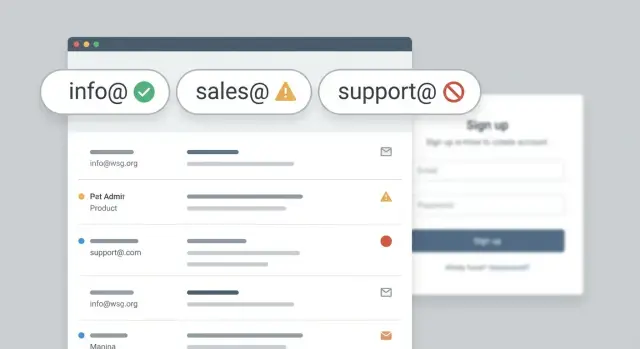
Most signup policies end up in one of three buckets:
- Allow: accept the address, verify it, and move on.
- Warn: let the user continue, but explain the downsides and suggest a personal address.
- Block: refuse certain role addresses and require an individual mailbox.
A practical example: if your app includes billing and admin controls, a shared inbox can create confusion later about who actually “owns” the subscription. But if your customers are teams managing shared resources, blocking generic inboxes can create unnecessary friction.
The real upsides and risks (plain terms)
Role-based emails aren’t automatically “good” or “bad”. They’re just different from personal mailboxes, and those differences show up later in ownership, engagement, and security.
The upside: continuity. If someone is out sick or leaves the company, another teammate can still see onboarding emails, invoices, and support threads. For teams that rotate responsibilities, a shared address is sometimes the most reliable way to get a response.
The downside: unclear control. You often don’t know who actually has access to that inbox. If your product treats “whoever has the inbox” as the account owner, a job change or a password reset can quietly transfer control to the wrong person.
Engagement can be lower. A shared inbox is busy by design. Important messages (verification, invoices, security alerts) can get ignored, filtered, or lost in the noise.
Abuse is a real factor. Fraudsters sometimes prefer generic inboxes because they’re easy to reuse across many signups and don’t clearly tie back to a real employee. That doesn’t mean every info@ is fraud, but it does raise the odds of low-quality signups when you’re dealing with volume.
The takeaway: treat role-based detection as a signal, not a verdict. The best decision usually depends on what happens after signup and how costly a fake or unreachable email is for you.
Start with your account ownership model
Before you decide what to do with role-based emails, answer one question: is the account owned by a specific person, or by a team?
If you need to send invoices, legal notices, password resets, and security alerts, you usually want a single accountable owner. A personal mailbox makes it obvious who that is. It also reduces the chance a critical message gets ignored because “someone else handles that.”
If your product is commonly bought and managed by groups, blocking generic inboxes can backfire. Think IT teams setting up tools for employees, procurement handling renewals, or agencies creating accounts for clients. In those cases, addresses like billing@ or it@ can be the fastest way to reach the people who actually take action.
A quick way to pressure-test your model:
- Who must receive billing and contract messages, and do you need a clear audit trail?
- Who is accountable for security and access?
- How often do accounts change hands (employee leaves, agency offboards, team reorganizes)?
- Will support be working with one person or multiple people?
Where many teams get surprised is “mailbox changes hands.” A shared inbox can be stable for years, or it can change owners overnight with no warning. When it changes, you can lose the real decision maker, or someone new can gain access to messages they shouldn’t see. If your product handles sensitive data, that risk matters.
A practical middle ground is to allow team inboxes but keep accountability. One common pattern is: require a personal email for the primary owner, then let the team inbox be added later as a billing or notification address.
Support and workflow needs that change the decision
Your signup policy should match how you actually support customers.
If a human must complete onboarding steps (contracts, identity checks, SSO setup, data migration), you need a reliable person to contact. Generic inboxes can work, but they also hide who is responsible. That often turns into slower approvals and longer time to value.
Reply-based workflows are another tipping point. If sales, success, or support depends on back-and-forth email threads, a shared inbox can get messy: multiple people reply, nobody replies, or context gets lost when teammates change. If your process relies on clear ownership, a warning is often the sweet spot: allow the signup, but ask for a personal backup contact.
Account security matters too. Password resets, magic links, and 2FA codes sent to a shared inbox increase the chance that access spreads beyond the right people. That might be fine for a small team, but it’s risky when permissions are strict (billing access, data exports, admin actions).
If you allow role-based emails, consider pairing that flexibility with product controls (like required admin invites, clear audit logs, and an easy ownership transfer flow) so access doesn’t become accidental.
Deliverability considerations you can actually act on
Role-based emails aren’t automatically “bad” for deliverability, but they can change what happens after signup. Problems usually show up later: welcome emails bounce, password resets don’t reach a real owner, and your sender reputation takes a hit.
If a role inbox is abandoned or poorly monitored, it can become a bounce magnet. Too many hard bounces signal low-quality sending. Shared inboxes can also raise complaint risk: when several people see the same message, it only takes one “Mark as spam” to hurt you.
Some filters treat common prefixes as a lower-trust signal, especially when combined with other weak signals like a new domain, unusual signup velocity, or low engagement. That doesn’t mean you must block them. It means you should be stricter about verification and monitoring.
Role-based vs disposable: don’t mix them up
Disposable email services are built to be temporary and are often used to create throwaway accounts. A normal role inbox at a real company domain is different. procurement@, billing@, and support@ can be legitimate.
If deliverability is your main worry, focus on “is this mailbox reachable and stable?” rather than the prefix alone.
Deliverability-focused actions that often work better than blanket blocking:
- Verify the email before enabling key features.
- Suppress hard bounces quickly (don’t keep sending).
- Ask for a second contact email for critical notices (invoices, security).
- Use stricter rules when the domain is brand new or has no MX records.
- Rate-limit signups when you see many similar role prefixes from one source.
How to choose allow, warn, or block (a practical process)
You don’t need a perfect policy on day one. You need a clear default, a few exceptions, and copy that tells people what to do next.
Start by naming your product motion. Self-serve products usually optimize for quick signup and clean data, so they often lean toward allow or warn. Sales-led signups can afford more friction and may lean toward warn or block to keep leads reachable. Internal tools often allow, because shared inboxes can be normal.
Then define what “owned” means for an account. Decide what must be true before someone can control billing, change security settings, or invite others. If ownership must map to one person, a shared inbox is a weak fit. If ownership can be a team (for example, a department account), a role inbox can be fine.
From there:
- Choose allow when shared access is expected and you already verify emails.
- Choose warn when you want flexibility but prefer a personal address for recovery and future contact.
- Choose block when you must reach a specific person (compliance-heavy flows, high-value trials) or you’re seeing lots of fake signups.
Finally, add a small set of explicit exceptions so your team isn’t improvising. Enterprise procurement flows, agencies signing up for clients, and customer migrations are common examples.
Write the UI message before you ship
If you warn, keep it short and give a clear next step:
“This looks like a shared inbox. For account security and recovery, we recommend using a personal work email. You can continue, but you may be asked to add a personal email later.”
If you block, avoid dead ends:
“Please use a personal work email. If you need to sign up with a shared inbox, contact support for an exception.”
Policy patterns that hold up in common products
A good policy matches how accounts work in your product and what kind of abuse you see.
For many B2B products, shared inboxes are normal. Allowing them reduces friction and can be a better operational fit than tying access to one employee.
Self-serve SaaS often sits in the middle. Many teams want a person-based owner for billing and security, but they don’t want to block legitimate teams who only have a shared mailbox ready on day one. Warning at signup, then collecting a personal owner email during onboarding, usually works.
Consumer apps and high-abuse funnels often benefit from blocking. If your product relies on personal identity or you routinely fight fake signups, role-based addresses can be a common hiding place.
If you need flexibility, use a “step-up” rule instead of a hard allow or hard block. For example: require email verification before the account is active, require adding a second personal email within 24 hours, or flag for manual review when other risk signals show up.
Common mistakes and traps to avoid
The biggest mistake is treating role-based emails as automatically “bad.” If you block every generic email (info@, sales@), you’ll lose real B2B signups. Many small teams start with a shared inbox on purpose, especially when one person covers sales, support, and billing.
Another common trap is confusing role-based with disposable. A role inbox might be a legitimate mailbox on a real company domain. Disposable addresses are usually designed to expire or hide identity. They’re different problems and need different rules.
Imports and migrations create edge cases people forget. You may validate during signup, but later import a list where admin@ or no-reply@ appears. admin@ can be real (especially in IT-managed orgs). no-reply@ often can’t receive verification emails or support replies, so it can break activation and recovery. Treat imports as a separate flow with its own warnings and review queue.
Finally, vague errors drive away good users. “Email not allowed” feels like a dead end. Give a reason and a path forward.
Quick checks for your signup flow
If you want a simple, consistent approach, run these checks in order:
-
Validate format and domain. Catch obvious typos and confirm the domain is real.
-
Check mail routing basics. Look for MX records. If there are no MX records, that’s usually a hard stop.
-
Separate role-based from disposable. Treat prefixes like info@ and support@ as one category, and temporary email providers as another.
-
Decide what your warning path means. If you warn, make the next step concrete: allow signup, then require a personal backup contact before high-risk actions (billing changes, exports, admin actions).
-
Log what you decided and why. Store whether you allowed, warned, or blocked, plus a clear reason like “no MX,” “disposable provider,” or “role-based accepted with backup contact required.” This turns support tickets into quick, explainable answers.
A realistic example and next steps
A small design studio signs up for your product. The person filling out the form uses [email protected] because the team shares the inbox. Two colleagues also need access right away, and nobody wants to “own” the account personally yet.
Here’s how the three common policies play out:
- Allow: Signup is frictionless, but ownership and security can get fuzzy later.
- Warn: You keep momentum while nudging better behavior (for example, “Please add an individual owner email after signup”).
- Block: You reduce some risk, but you also push away legitimate small teams who will abandon rather than hunt for a personal address on the spot.
A practical compromise is to allow the signup, then collect a personal owner email once the user has started getting value. Keep info@ as a billing or notifications contact if they want, but make sure at least one real person can be reached for security and ownership changes.
If you’re implementing this, you’ll get the best results by combining policy (allow/warn/block) with basic validation (syntax, domain, MX, and disposable detection). Verimail (verimail.co) is one option teams use for that: it’s an email validation API that checks RFC-compliant syntax, domain and MX records, and matches against known disposable providers so you can treat “generic but real” differently from “throwaway.”
To make your decision stick, pull 30 to 90 days of signup data and compare conversion, churn, chargebacks, and support tickets for role addresses vs personal addresses. Then choose the smallest amount of friction that still protects your product.
FAQ
What is a role-based email, in plain terms?
A role-based email describes a job or team, not a person. Addresses like info@, support@, or billing@ usually go to a shared inbox or help desk, so multiple people may read and reply.
How do I decide whether to allow role-based emails during signup?
Start with your account ownership model. If one person must be clearly accountable for billing, security, and recovery, prefer a personal email (or require one as the primary owner). If your product is typically managed by teams, allowing role-based emails can reduce friction and match how customers actually work.
When should I allow vs warn vs block role-based emails?
Choose allow when shared access is normal and you already verify emails. Choose warn when you want to reduce risk while keeping signup smooth, and you can ask for a personal backup later. Choose block when you must reliably reach an individual (compliance-heavy flows, high abuse, high-risk access) or you’re repeatedly seeing low-quality signups from generic inboxes.
What are the main security risks of role-based inboxes?
They can blur who “owns” the account because anyone with access to the inbox can receive resets, magic links, and security alerts. That can quietly transfer control when staffing changes, which is especially risky if your app includes admin actions, billing changes, or data exports.
Do role-based emails hurt deliverability or engagement?
Shared inboxes are busy, so verification links, invoice notices, and security alerts can be missed or filtered. They can also increase complaint risk because more people see each email, and it only takes one person to mark it as spam.
Are role-based emails the same thing as disposable emails?
No. Disposable emails are meant to be temporary and are often used for throwaway signups. Role-based emails can be real mailboxes at legitimate domains, so treat role-based detection as a signal, not an automatic rejection.
What’s a good “middle ground” policy that works for many B2B apps?
A practical default is to allow the role-based email to sign up, but require a personal email for the primary owner before high-risk actions. You can still keep the role inbox as a billing or notifications contact so teams get continuity without losing accountability.
What should my signup UI say if I warn users about a shared inbox?
Use a clear, short message that explains the downside and the next step. For example, let them continue but tell them they may need to add a personal work email for recovery and security later, so it doesn’t feel like a dead end.
What checks should I run in my signup flow before judging role-based emails?
Validate syntax and the domain first, then check MX records to confirm the domain can receive mail. Next, detect disposable providers separately from role-based prefixes, and decide whether to allow, warn, or block based on your rules. If there are no MX records, that’s often a hard stop because verification and recovery won’t work.
How can I tell if my role-based email policy is working?
Start by looking at 30–90 days of data and compare conversion, churn, support load, and fraud indicators for role-based vs personal addresses. Then pick the smallest amount of friction that protects your product, and log the reason for each decision (allowed, warned, blocked) so support can explain outcomes quickly.